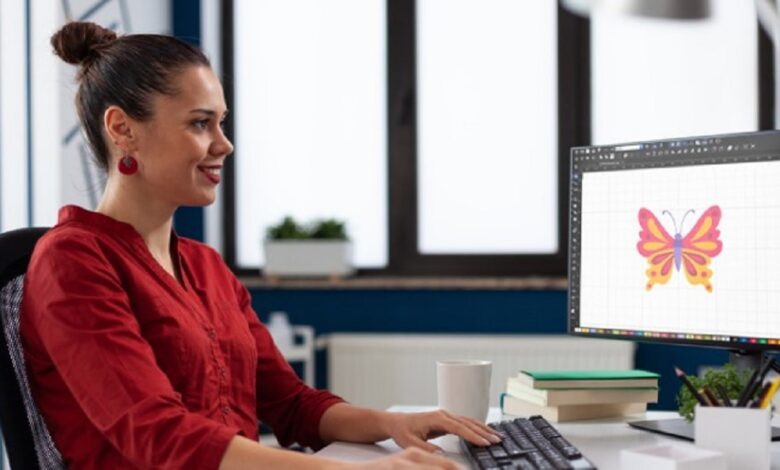
When it comes to embroidery, turning a simple picture into a stitch-ready format is where the real magic happens. Whether you’re a hobbyist working on your first project or a business producing custom apparel, Image to PES file conversion is the crucial step that bridges your artwork and embroidery machine. Without the right conversion, even the most beautiful designs can lose detail or stitch poorly. Let’s explore how this process works, why PES files are essential, and how you can easily transform your JPG or PNG into a flawless embroidery-ready file.
What is a PES File?
If you own a Brother or Babylock embroidery machine, you’ve probably encountered PES files. A PES file is a machine-readable embroidery format that stores essential information such as:
- Stitch types and directions
- Thread colors and sequence
- Design dimensions and placement
In short, a PES file tells your embroidery machine exactly how to stitch your artwork. Unlike a JPG or PNG, which is just a flat image, a PES file contains detailed stitch instructions that make embroidery possible.
Why Can’t You Use JPG or PNG Directly?
It’s a common misconception that embroidery machines can read any image file. Unfortunately, that’s not the case. Here’s why:
- JPG/PNG limitations: These files only store pixel-based images, not stitch data.
- No embroidery instructions: Your machine won’t know how many stitches to use, where to start, or how to layer them.
- Loss of quality: If forced, the design may appear distorted, misaligned, or overly complex to stitch.
That’s why Image to PES file conversion is an absolute must for anyone wanting precise and professional embroidery results.
How Image to PES Conversion Works
Converting images isn’t as simple as hitting “save as.” The process involves embroidery digitizing — a specialized skill where a digitizer manually translates artwork into stitch commands. Here’s how it usually works:
- Importing the design: The digitizer uploads the JPG/PNG file into digitizing software.
- Tracing the artwork: Shapes, lines, and patterns are carefully traced to form stitch regions.
- Assigning stitch types: Satin, fill, or running stitches are applied depending on the design elements.
- Thread sequencing: The color order and stitch flow are optimized for clean results.
- Exporting to PES: The final file is saved in PES format, ready for Brother or Babylock embroidery machines.
This process requires both artistic vision and technical precision — a combination that ensures your embroidery looks as good as the original design.
Benefits of Converting Images to PES
Whether you’re customizing t-shirts, hats, or bags, PES conversion offers several advantages:
- Accuracy: Stitches are mapped exactly to your design.
- Consistency: Every embroidery run maintains the same high quality.
- Efficiency: Reduced thread breaks and optimized stitch paths save time.
- Versatility: PES files can be scaled or slightly adjusted without losing clarity.
In short, having the right PES file means fewer headaches, smoother production, and polished embroidery results.
DIY Conversion vs. Professional Services
You may wonder: Can I convert images to PES myself? The answer depends on your needs.
- DIY Software: There are programs that claim to automatically convert JPG/PNG to PES. While convenient, they often misinterpret details, resulting in clumsy stitch-outs.
- Professional Digitizing: A skilled digitizer ensures clean lines, balanced density, and machine-friendly files. It’s the preferred choice for businesses and serious hobbyists.
If you value quality, outsourcing your PES conversion to professionals is almost always the better route.
Choosing the Right Images for PES Conversion
Not every picture is embroidery-friendly. To ensure the best outcome:
- Use high-resolution images for clear outlines.
- Avoid overly complex designs with tiny details.
- Stick to bold shapes and colors that translate well into thread.
- Consider simplifying logos or artwork before conversion.
Remember: embroidery has its limits. A good digitizer will advise which elements can be stitched realistically.
Common Challenges in Image to PES Conversion
Like any technical process, PES conversion comes with its own set of challenges:
- Color matching issues: Thread shades may not perfectly match digital colors.
- Density problems: Too many stitches in one area can cause fabric puckering.
- Scaling limitations: Enlarging a PES file too much can distort stitch quality.
- File compatibility: Using the wrong format for your machine can waste time.
The good news? With expert digitizing, these challenges can be minimized or completely avoided.
Best Practices for Perfect PES Files
Here are a few tips to get the most out of your conversions:
- Always provide the original artwork in JPG or PNG.
- Communicate your fabric type so density can be adjusted accordingly.
- Request a test sew-out before mass production.
- Save backup copies of your PES files for future use.
Following these steps ensures smoother projects and long-term embroidery success.
Why Professional Digitizing is Worth It
Think of digitizing as the blueprint for your embroidery. Just like a building needs a solid foundation, embroidery needs well-crafted PES files. Professional digitizers:
- Understand stitch behavior on different fabrics
- Balance design complexity with machine efficiency
- Deliver files optimized for long-lasting, high-quality embroidery
By investing in professional digitizing, you’re saving time, money, and frustration in the long run.
Conclusion
Converting JPG or PNG to PES is the gateway to embroidery success. While images alone aren’t stitch-ready, the right conversion process ensures your designs translate beautifully onto fabric. With professional digitizing, you can achieve accurate, efficient, and visually stunning embroidery results every time.
If you’re ready to bring your artwork to life through embroidery, trust a reliable partner who knows the ins and outs of PES conversion. That’s where Digitizing Buddy steps in — helping you transform ordinary images into extraordinary embroidery-ready files with precision and ease.