What Not to Automate: Practical Limits of Test Automation

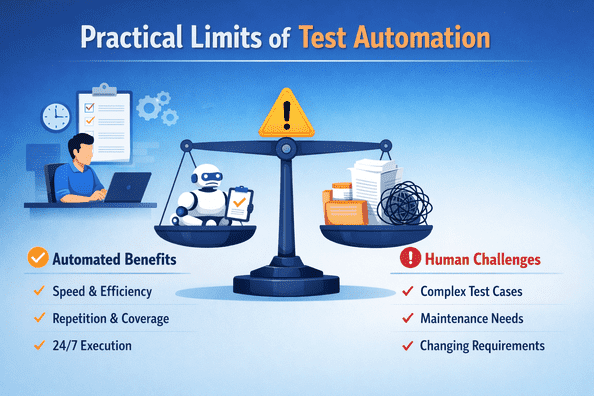
Test automation plays a major role in modern software delivery. It improves speed, consistency, and confidence when used in the right places. But automation is not a universal solution. Many teams struggle because they try to automate everything instead of automating what actually makes sense.
Understanding the limits of test automation is just as important as knowing its benefits. When teams cross those limits, automation becomes expensive, fragile, and hard to trust.
Why Automating Everything Creates Problems
The idea that all tests should be automated is appealing but unrealistic. Not every scenario delivers a positive return on investment. Some tests cost more to automate and maintain than they save in execution time.
Common issues caused by over-automation include:
-
High maintenance effort for low-value tests
-
Slower feedback due to bloated test suites
-
Frequent false failures
-
Reduced confidence in test results
Effective test automation is selective. It focuses on areas where repeatability and stability exist.
Tests With Rapidly Changing Requirements
Features that change often are poor candidates for test automation. When requirements are unclear or evolving, automated tests need constant updates.
Examples include:
-
Early-stage features under active redesign
-
Experiments and proof-of-concept work
-
User flows driven by frequent business changes
In these cases, manual testing provides faster feedback. Automating too early locks teams into assumptions that no longer hold.
Visual and Exploratory Scenarios
Some aspects of software are difficult to validate using code alone. Visual layout, usability, and overall user experience often fall into this category.
Scenarios better handled manually include:
-
Visual consistency and layout alignment
-
Accessibility checks that require human judgment
-
Exploratory testing for unexpected behavior
While tools can assist with visual testing, they rarely replace human evaluation completely. Test automation works best when expectations are precise and measurable.
One-Time and Rarely Executed Tests
Automating tests that run once or very infrequently rarely pays off. The effort to design, implement, and maintain them often exceeds the benefit.
Examples include:
-
One-off data migrations
-
Emergency hotfix validation
-
Temporary compliance checks
Manual execution is usually faster and more practical in these situations. Automation should target tests that run repeatedly over time.
Tests Dependent on Unstable External Systems
Tests that rely on third-party services or unstable environments tend to be flaky. Network delays, rate limits, or service outages can cause failures unrelated to the product itself.
Instead of automating these scenarios:
-
Mock or simulate external dependencies
-
Validate contracts rather than live integrations
-
Limit automation to controlled environments
Unreliable tests waste debugging time and reduce trust in automation results.
Highly Complex End-to-End Scenarios
Large end-to-end tests often try to cover too much in a single flow. When they fail, it is difficult to pinpoint the cause.
Problems with automating these scenarios include:
-
Long execution times
-
Difficult root cause analysis
-
High maintenance cost
Breaking tests into smaller, focused checks often delivers better value. End-to-end coverage should be limited to critical user journeys only.
Areas That Require Subjective Judgment
Some testing activities require interpretation and context. Automated scripts struggle with ambiguity and nuance.
Examples include:
-
Content quality and tone
-
Error message clarity
-
Overall workflow intuitiveness
These areas benefit from human insight. Test automation cannot replace judgment-driven evaluation.
Security and Penetration Testing Limits
Automation supports security testing but does not replace expert analysis. Automated scans are good at identifying known patterns, but they miss creative attack vectors.
Manual security testing is still needed for:
-
Threat modeling
-
Business logic abuse
-
Chained vulnerability discovery
Automation should assist security efforts, not define their boundaries.
Balancing Automation With Manual Testing
Successful teams treat automation as part of a balanced testing strategy. They combine automated tests with manual and exploratory testing based on risk and value.
A healthy approach includes:
-
Automating stable, repeatable scenarios
-
Keeping manual testing for discovery and judgment
-
Reviewing automation value regularly
This balance keeps test automation effective without becoming a maintenance burden.
How to Decide What Not to Automate
A simple decision framework helps avoid poor automation choices. Before automating a test, ask:
-
Will this test run frequently?
-
Is the expected outcome stable?
-
Is the failure easy to diagnose?
-
Does automation save meaningful time?
If the answer to most of these is no, automation is likely not the right choice.
Final Thoughts
Test automation delivers the most value when it is applied thoughtfully. Automating the wrong things slows teams down and creates false confidence. Knowing what not to automate helps teams build leaner test suites, reduce maintenance effort, and focus on quality where it matters most.
When automation is used with clear intent and realistic boundaries, it becomes a long-term asset rather than a growing liability.


